Widget
The widget is an in-game overlay that sits on top of the game. Players use it to track the competitions they are taking part in without leaving the game they are playing. It has an expanded view (a side panel) and a compact view (a floating circular button), and it shows Tournaments and Quests on two main tabs. Raffles are not shown in the widget.
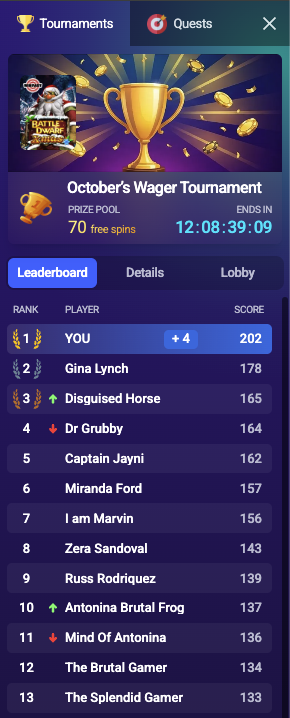
The Tournaments tab has three sub-tabs:
- Leaderboard: the live standings, with the player’s current rank and score highlighted.
- Details: the tournament’s prize table, rules, and terms and conditions.
- Lobby: the other tournaments available to the player.
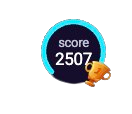
The floating button cycles through a few pieces of information, changing every few seconds:
- Score: the player’s current score, counting up as it changes.
- Rank: the player’s position on the leaderboard.
- Spins left: the rounds remaining, shown only when the tournament has a round limit.
The ring around the button shows the time remaining, emptying as the tournament runs. When the score changes a +N bubble pops up, and tapping the button opens the expanded panel.
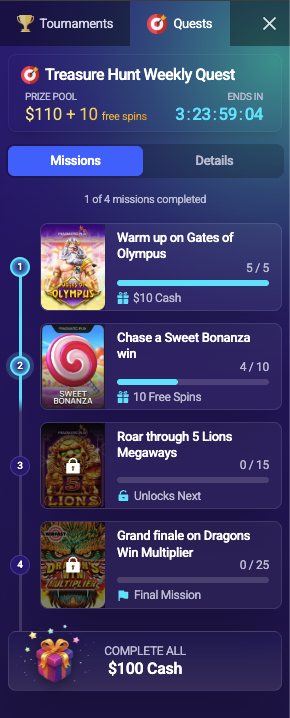
The Quests tab has two sub-tabs:
- Missions: the list of missions, each with its progress and reward, and which mission unlocks next.
- Details: the quest’s prize and its rules and terms and conditions.
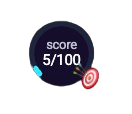
The floating button cycles through:
- Missions: how many missions the player has completed.
- Score: the player’s score toward the current mission’s target, when the mission has one.
The ring shows progress: it fills toward the current mission’s target score, or shows overall mission completion when there is no target. As with tournaments, a score change pops a +N bubble and tapping the button opens the expanded panel.
Devices
The widget works on both desktop and mobile, and supports portrait and landscape modes on mobile.