Customization
Gamity’s player-facing surfaces can be branded to match each casino’s look and feel. Everything here is configured from the Back Office, giving full control over how competitions appear to players.
Banners
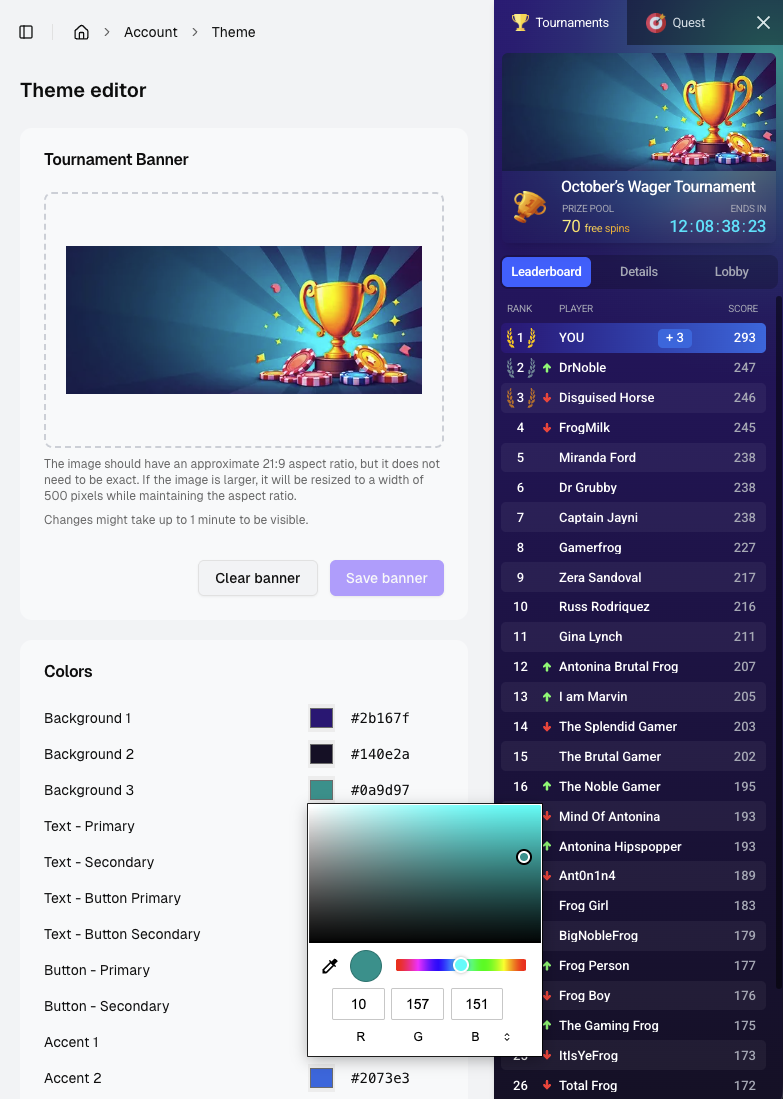
Each competition can have its own banner image, shown at the top of the widget and on the lobby card. Banners are uploaded on the Banner tab of a competition’s details page, not on the create form. See Banner for details.
Theming
A personalized look and feel is configured from the Back Office. The colors of the widget and lobby can be recolored so they match a brand’s presentation.
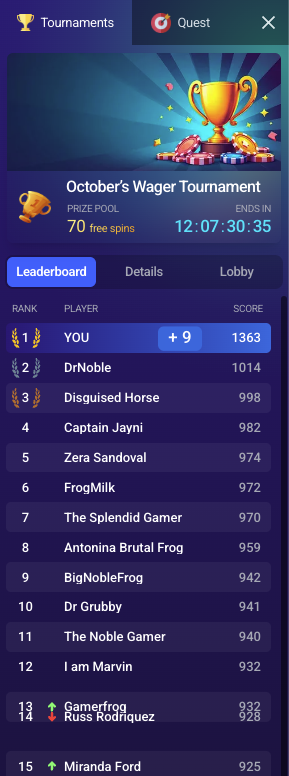
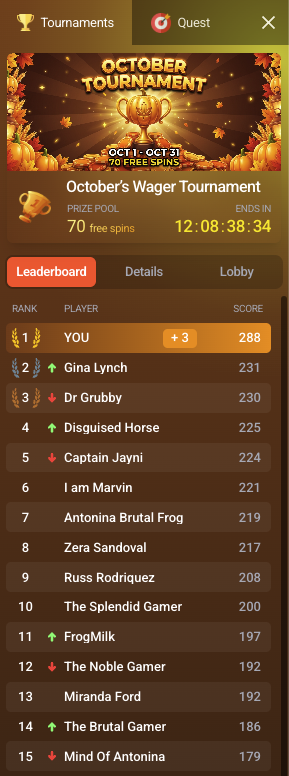
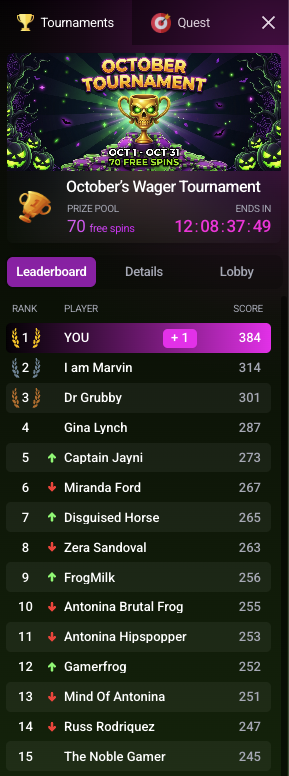
Themes apply at three levels, from broadest to most specific:
- Default theme: applied across all brands.
- Brand-specific theme: overrides the default for a particular brand.
- Competition-level customization: overrides the theme for a single tournament, raffle, or quest.
A more specific level wins, so a competition-level customization takes precedence over the brand theme, which in turn takes precedence over the default.
The theme editor is where these colors are set, with a live preview of the widget alongside them: